



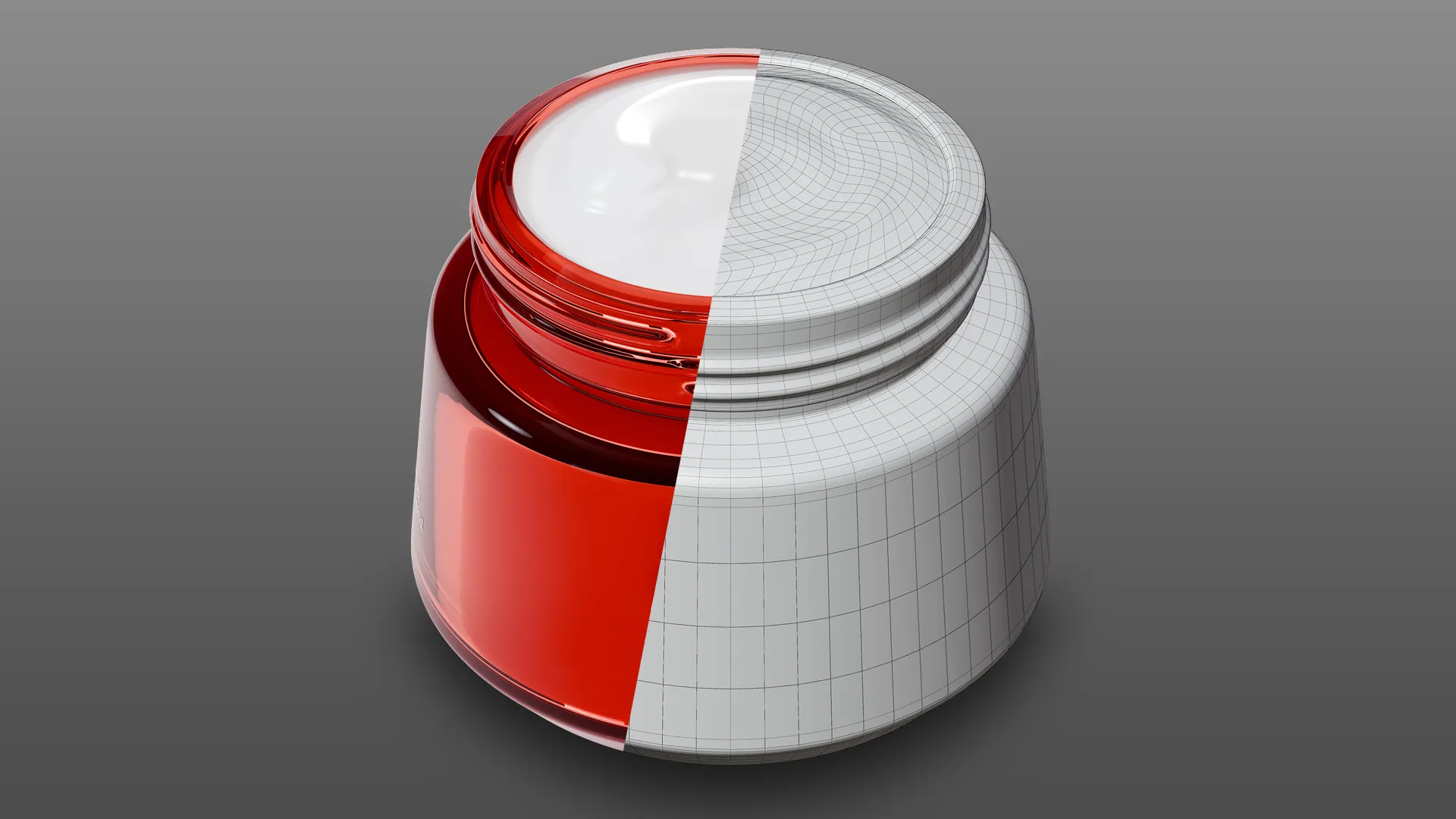
When a product page gets clicks but not sales, the issue is often visual uncertainty. Product Visualization removes the limits of a physical shoot and replaces them with controlled production: consistent lighting, exact angles, clean variants, and assets that stay on-brand across every channel.
Below, I’ll explain where premium 3D outperforms photography for conversion, what a professional workflow looks like, how to vet a vendor, and the common mistakes that make renders lose trust.
What High-End Product Visualization Does Better Than Photography
Photography is unbeatable for real-world context, people, and lifestyle. But for product-first selling, it can become slow and fragile: reshoots, sample availability, reflections, dust, and inconsistent setups across months. High-end Product Visualization is built for repeatability and precision.
It guides attention instead of documenting reality
Conversion imagery answers specific questions: materials, scale, details, and how the product is used. In 3D, you can lock a camera system and produce a deliberate sequence (hero, detail macros, feature callouts, cutaways) without relying on what you can physically capture on set.
It controls difficult surfaces without fighting the shoot
Glossy plastics, brushed metals, glass, clear packaging, and coated paper all punish photography with glare and cleanup. A premium render pipeline can still look real, but you control specular highlights and micro-roughness so the product reads clearly at thumbnail size and at full zoom.
It ships marketing assets before production samples are perfect
If you’re launching or iterating fast, waiting for a “final” sample delays the entire funnel. With 3D modeling, you can start from CAD, drawings, and finish references, then update the asset as engineering locks.
Conversion Levers You Can Control in 3D
High-end 3D converts better when it reduces risk for the buyer and removes bottlenecks for your team.
Full SKU coverage without multiplying shoot complexity
Photography scales linearly with variants. 3D scales through a master asset and controlled swaps: materials, colors, label art, and accessories. That makes it realistic to support the entire catalog, not just the hero SKU.
Mini case: a DTC electronics refresh
A brand needs new hero renders for a colorway, a revised button layout, and updated accessories. With Product Visualization, the camera and lighting stay locked while materials and parts update. The team gets a consistent PDP set plus ad crops, without re-booking a studio.
Faster iteration and A/B testing
Testing creative variables works when you can isolate one change. In 3D, you can keep framing identical and only adjust background, highlight shape, packaging on/off, or angle, then export matched sets for paid and PDP.
Mini case: packaging visualization under deadline
Regulatory text changes late for a new market. Instead of printing and reshooting, you update the label art, re-render, and deliver the same composition in hours, not weeks.
Consistency across channels and across time
Mismatched images between Shopify, marketplaces, and ads signal “small brand” even when the product is premium. A 3D look system (lighting rig, lensing, grade) stays consistent, so new angles months later still match the existing set.
The Professional Workflow Behind Premium Product Rendering
Premium output comes from a predictable pipeline and tight approvals, not from “more render time.” Here’s the production-level flow most serious teams use.
1) Brief and intake
Define deliverables and specs first: image count, aspect ratios, backgrounds, animation needs, and where assets will be used. Collect dimensions, CAD (if available), reference photos, finish callouts, packaging dielines, and brand guidelines.
2) Hard surface modeling and accuracy pass
Hard surface modeling focuses on what buyers notice: edge radii, seams, part breaks, fasteners, logos, and tolerances that control highlights. Accuracy is non-negotiable because it’s hard to fix later.
3) UV mapping, PBR texturing, and material variants
Clean UV mapping protects label sharpness and prevents stretching. PBR texturing (base color, roughness, metalness/specular, normals) is typically authored in Substance 3D Painter with controlled imperfections that read as manufacturing realism, not “grunge.” Variants are built non-destructively so new SKUs don’t restart the project.
4) Lookdev, lighting, and camera
Tools vary, but Blender is common for lookdev and final rendering. The goal is photographic logic: believable light size, shadow softness appropriate to scale, and camera choices that favor clarity over gimmicks. Color management matters here; it keeps your final images predictable across devices and platforms.
5) Rendering, compositing, and delivery
Expect professional deliverables, not just one flattened file. Common outputs include:
1. Web-ready JPG/PNG (sRGB) at final dimensions
2. High-res masters (often 16-bit PNG/TIFF) for zoom or print
3. Transparent-background variants for marketplaces
4. Layered PSD or 16-bit EXR passes when your team needs post control
Turnaround is managed through approvals: a modeling sign-off, then a lookdev sign-off, then final polish. Revisions should be defined (what counts, how many rounds). Usage rights should be written down too. Final renders for marketing are standard; source files (scene, geometry, textures) are a separate deliverable and affect cost.
Buyer’s Checklist: How to Vet a Product Visualization Vendor
Use this checklist to evaluate whether a vendor can ship conversion-ready assets at a premium standard.
Quick evaluation criteria
1. They ask for dimensions, references, and finish callouts before quoting.
2. They can explain their PBR approach and how they match real materials.
3. Their portfolio holds up in close-up crops: edges, logos, seams, and small parts look intentional.
4. They show consistency across a set (same lensing and lighting logic across multiple angles).
5. They can describe how they handle variants and packaging visualization without duplicating work.
6. They define revision rounds and approval gates (model, lookdev, final).
7. They list deliverables and file formats clearly (web, print, transparency, PSD/EXR if needed).
8. They clarify usage rights and whether source files are included.
Common Pitfalls That Make 3D Look Cheap (and How to Prevent Them)
Buyers don’t reject 3D because it’s 3D. They reject assets that feel physically wrong.
Pitfall 1: Razor-sharp edges
Real products have bevels. Without them, highlights break unnaturally and the image screams “CG.” Fix it with realistic edge radii and material-appropriate micro-normal detail.
Pitfall 2: Roughness is wrong
Most bad renders fail in roughness, not color. Plastics look like glass, metals look like gray paint. Fix it by calibrating materials under neutral lighting and validating against reference photos.
Pitfall 3: Lighting ignores scale
A softbox that works for a watch won’t read right on a chair. Fix it by building a lighting rig in real-world units and keeping it consistent across angles.
Pitfall 4: Packaging and decals fall apart
Warped typography and soft labels destroy credibility. Fix it with clean UV mapping, adequate texel density, and decal workflows designed for print assets.
Conclusion
High-end Product Visualization converts because it gives you repeatable, precise imagery that answers buyer questions fast and scales across SKUs and channels.
If you need premium product rendering that matches your brand and holds up under scrutiny, send a product link and the platforms you’re targeting. I’ll recommend a deliverable set and a production plan.
FAQ
What do you need from us to start?
Dimensions and references are the baseline. CAD files and packaging dielines help, but a strong reference pack (photos, finishes, branding) can also work.
How long does a typical project take?
It depends on complexity and approval speed. Most timelines include a modeling approval, a lookdev approval, and a final delivery stage so changes don’t pile up at the end.
How do revisions work?
A professional scope defines revision rounds and what counts as a change. The fastest projects lock cameras early and treat later rounds as material and polish adjustments.
Do we own the 3D files?
Often you purchase final renders and usage rights for marketing. If you need the 3D scene, textures, or geometry for future updates or internal use, request a source-file handoff explicitly.